Wondering if your iPhone is eSIM compatible? You are not alone. Many users search for terms like “is my iPhone eSIM compatible” or “this eSIM is not compatible with this iPhone” when trying to activate a digital SIM. Since Apple first introduced eSIM support with the iPhone XR, XS, and XS Max in 2018, compatibility has expanded across every major model. Today, the iPhone 14, 15, 16, and 17 series in the United States are eSIM-only, with no SIM tray at all. Meanwhile, international versions still support dual SIM (physical SIM + eSIM).
In this guide, you will find the full iPhone eSIM compatibility list, step-by-step instructions to check if your device supports eSIM, and solutions for common errors. By the end, you will know exactly which iPhones are eSIM compatible and how to activate them smoothly.
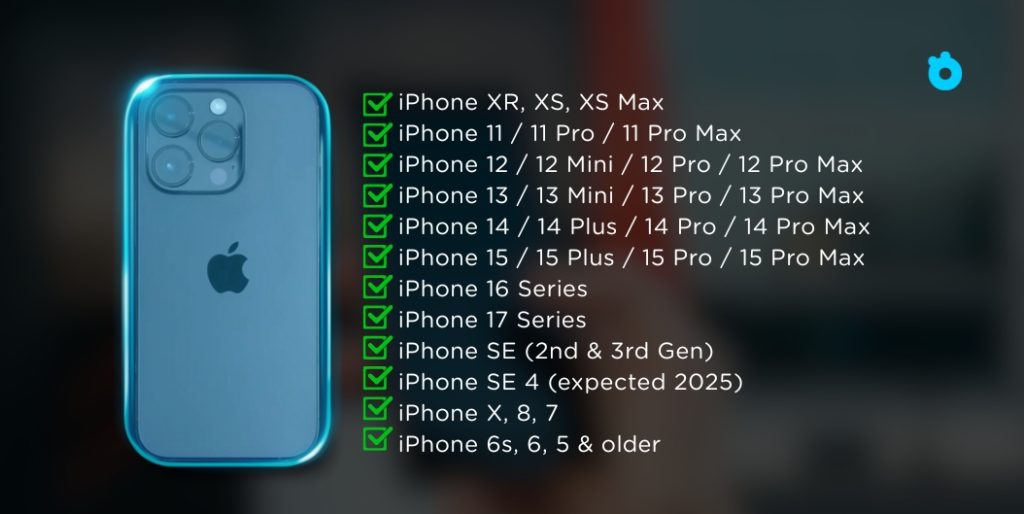
Quick iPhone eSIM Compatibility Chart (2025)
| iPhone Model | eSIM Compatible? | Notes |
|---|---|---|
| iPhone XR, XS, XS Max | ✅ Yes | First iPhones with eSIM support (2018) |
| iPhone 11 / 11 Pro / 11 Pro Max | ✅ Yes | Dual SIM: nano-SIM + eSIM |
| iPhone 12 / 12 Mini / 12 Pro / 12 Pro Max | ✅ Yes | Dual SIM: nano-SIM + eSIM |
| iPhone 13 / 13 Mini / 13 Pro / 13 Pro Max | ✅ Yes | Supports dual eSIM (two active eSIMs at once in some regions) |
| iPhone 14 / 14 Plus / 14 Pro / 14 Pro Max | ✅ Yes | US models: eSIM-only · Intl: nano-SIM + eSIM |
| iPhone 15 / 15 Plus / 15 Pro / 15 Pro Max | ✅ Yes | ~8 profiles stored, 2 eSIMs active simultaneously; US models: eSIM-only |
| iPhone 16 Series | ✅ Yes | Improved eSIM switching & standby; US: eSIM-only |
| iPhone 17 Series | ✅ Yes | Supports multiple stored eSIMs (~8) with 2 active at once; better 5G integration |
| iPhone SE (2nd & 3rd Gen) | ✅ Yes | eSIM supported, no dual eSIM |
| iPhone SE 4 (expected 2025) | 🚧 Likely Yes | Rumors suggest Face ID + eSIM support (to be confirmed) |
| iPhone X, 8, 7 | ❌ No | Physical SIM only |
| iPhone 6s, 6, 5 & older | ❌ No | Not eSIM compatible |
TL;DR:
- All iPhones from XR (2018) onward support eSIM.
- iPhone 14, 15, 16, and 17 US models are eSIM-only (no SIM tray).
- International versions of iPhone 14–17 often support 1 physical SIM + 1 eSIM.
- You can store about 8 eSIM profiles, but only 2 can be active at once.
- iPhone X, 8, 7, and older do not support eSIM.
👉 Bottom line: If you’re using iPhone XR or newer, you’re good to go with eSIM. US models from iPhone 14 onward require eSIM only. 📖 Learn More About iPhone eSIM Compatibility
Want to see the full list of supported devices? Check out our updated guide here: List of eSIM Compatible Phones (Gohub Blog)
Which iPhones Support eSIM?
Apple was among the first smartphone makers to push eSIM into the mainstream. Starting with the iPhone XR, XS, and XS Max, eSIM technology gradually became standard across new generations. Today, when people search for “esim compatible iphones” or “iphones esim compatible”, they are essentially looking for a clear list of devices that can use this digital SIM instead of a physical nano SIM, or together with it.
Currently, all iPhones released after 2018 support eSIM in some form. Models such as the iPhone 11, iPhone 12, iPhone 13, and iPhone SE (second and third generation) all include dual SIM capability. This allows you to use one physical SIM and one eSIM on the same device.
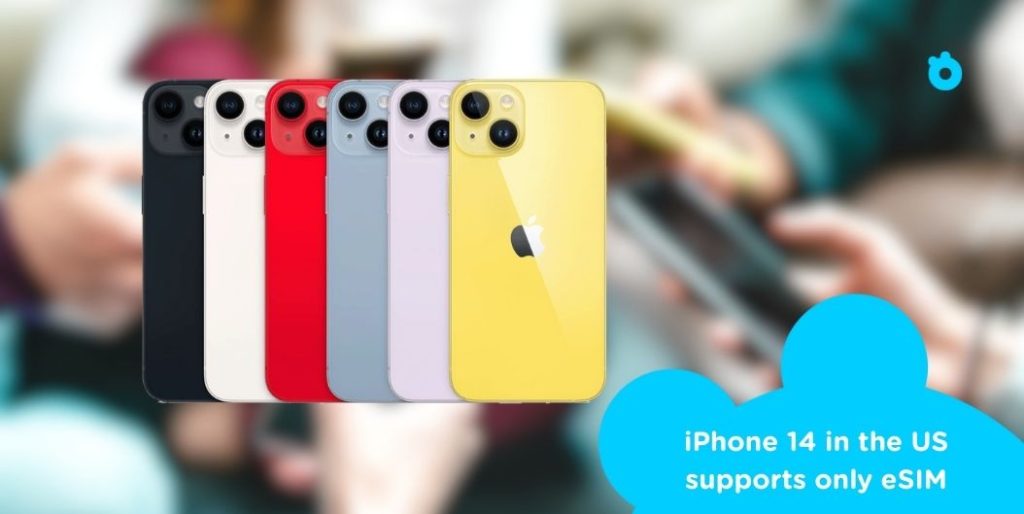
With the iPhone 14 series, Apple went further. In the US, all iPhone 14 models are eSIM-only devices, with no slot for a physical SIM card. This confirms Apple’s long-term direction, as future iPhones will rely mainly on eSIM.
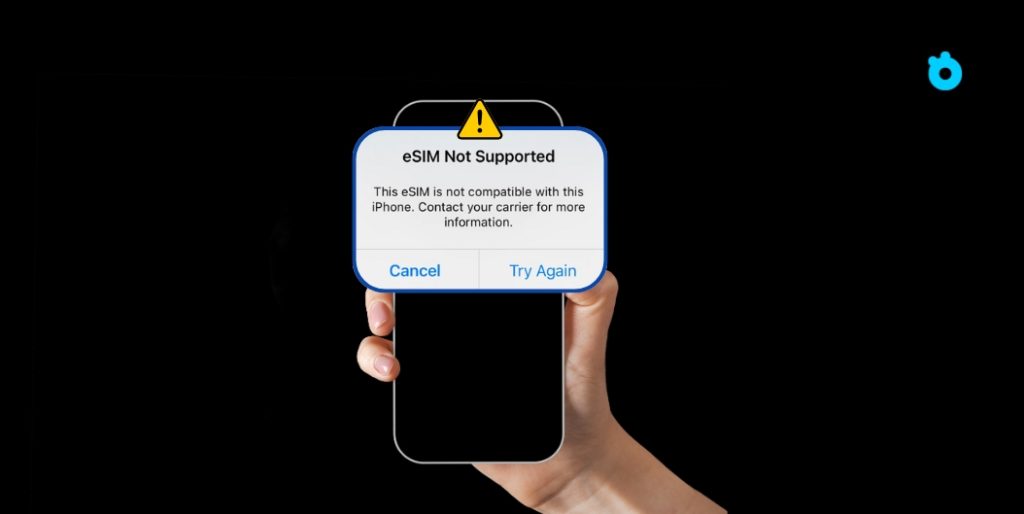
For older devices like the iPhone 7, iPhone 8, or iPhone X, the answer is different. These models are not eSIM compatible and work only with physical SIM cards. If you see messages such as “this eSIM is not compatible with this iPhone”, it usually means you are trying to activate an eSIM on a device that does not support it.
In the next section, we will go through iPhone eSIM compatibility by model so you can quickly check whether your device is ready for eSIM.
Common eSIM Compatibility Issues
Even though eSIM is now common across newer iPhones, many users still run into problems when setting it up. Most issues happen on older models or with carrier restrictions. Below are the most common errors and how to fix them.
“This eSIM is Not Compatible with This iPhone”
This error shows up when you try to activate eSIM on a model that does not support it.
- Affects iPhone 7, iPhone 8, and iPhone X.
- These models only work with physical SIM cards.
- Solution: switch to a newer iPhone that supports eSIM.
eSIM Not Supported Error
You may see “eSIM not compatible” or “eSIM not supported” even if your iPhone is on the official compatibility list.
- Often caused by your carrier not supporting eSIM in your region.
- Can happen if your iPhone is locked to a single network.
- Fix: confirm carrier support on GSMA eSIM resources or unlock your device.
How to Check if Your iPhone Supports eSIM
You can quickly confirm eSIM compatibility in your settings.
- Open Settings > Cellular > Add eSIM.
- If the option appears, your iPhone supports eSIM.
- If it does not show up, your model is not eSIM compatible.
👉 Apple also provides an official carrier support list to verify availability in your country.
How to Activate eSIM on Compatible iPhones
Once you know your iPhone supports eSIM, the next step is activation. Apple provides a simple setup process, and most carriers also support quick installation. Here is how you can do it:
- Step 1: Open Settings
Go to Settings > Cellular > Add eSIM on your iPhone. - Step 2: Choose Setup Method
You will see different ways to add an eSIM:- Scan a QR code from your carrier.
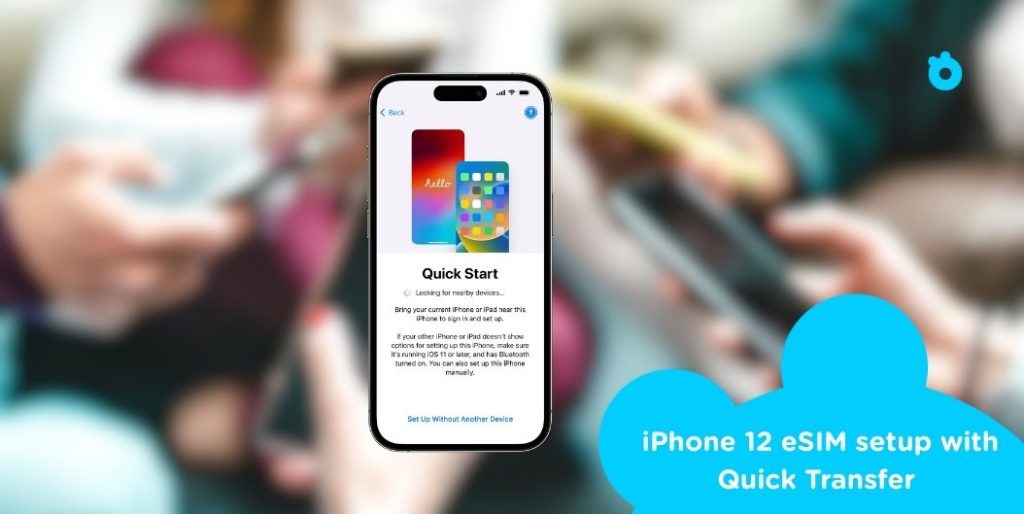
- Use Quick Transfer from your old iPhone.
- Enter activation details manually if provided by your carrier.
- Step 3: Confirm Activation
Follow the on-screen instructions. Your iPhone may ask you to label the new plan as “Primary,” “Secondary,” or “Business.” - Step 4: Restart if Needed
Some carriers require a quick restart before the eSIM becomes active. - Step 5: Test Your Connection
Open Safari or another app to check that mobile data works. You can also try making a call if your plan includes voice service.
👉 Many providers like Airalo or Gohub let you activate instantly with a QR code.
FAQ About iPhone eSIM Compatibility
Here are answers to the most common questions people ask about eSIM and iPhones.
Is my iPhone eSIM compatible?
Yes — all iPhones from the XR, XS, and XS Max (2018) onward support eSIM. The iPhone 15, 16, and 17 series all include full eSIM support, with US models being eSIM-only (no SIM tray). Older models like iPhone X, 8, and 7 do not support eSIM.
How do I know if my iPhone supports eSIM?
Go to Settings > Cellular > Add eSIM. If the option appears, your device supports eSIM. If it is missing, your iPhone is not compatible.
Why does my iPhone say “this eSIM is not compatible”?
This message usually appears when you try to install an eSIM on an unsupported iPhone model. It can also happen if your carrier does not support eSIM or if your device is locked to one network.
Can I use eSIM on a locked iPhone?
Yes, but only from the same carrier that locked the device. To use a travel or international eSIM, your iPhone must be unlocked. You can check this under Settings → General → About → Carrier Lock.
Do all iPhones support dual SIM with eSIM?
Not all models. iPhone XR and later support one eSIM and one physical SIM. The iPhone 13 and newer can support dual eSIM in some regions. In the US, the iPhone 14 series is eSIM only.
Final Thoughts on iPhone eSIM Compatibility (2025)
eSIM is no longer a niche feature — it’s now the standard on iPhones. From the XR in 2018 to the latest iPhone 17, nearly every modern iPhone supports eSIM, while older models like the iPhone 7, 8, and X remain limited to physical SIM cards.
Apple’s move to make the iPhone 14, 15, 16, and 17 in the US eSIM-only confirms where things are headed: the physical SIM tray is being phased out. International models still offer hybrid options (1 physical SIM + 1 eSIM), but even these are shifting toward eSIM-first design.
For users, the rules are clear:
- You can store up to ~8 eSIM profiles on recent iPhones.
- Only 2 eSIMs can be active simultaneously (or 1 physical + 1 eSIM outside the US).
- A locked iPhone restricts you to the carrier it’s tied to — so always unlock your device if you want full flexibility with travel eSIMs.
👉 Bottom line: If you own an iPhone XR or newer, you’re already eSIM-ready. For the smoothest travel experience, pairing your iPhone with a trusted global eSIM provider ensures reliable connectivity without the hassle of roaming fees or local SIM cards.
👉 Looking for a simple way to stay connected on your iPhone while abroad? You can explore affordable travel eSIM options for iPhone to get instant data without the hassle of roaming fees.
Related Articles
- Activating eSIM on iPhone – A full guide for setting up your eSIM correctly and avoiding common activation errors.
- Can You Use an eSIM on a Locked iPhone? The Real Answer – Explains how carrier locks affect eSIM use and what you can do.
- How to Receive SMS on eSIM iPhone – Troubleshooting steps for when eSIM is active but SMS or OTP messages are not coming through.
- iPhone 16 eSIM Support – Details on what the iPhone 16 offers in terms of eSIM profiles, active lines, and improved standby.
- Reset eSIM on iPhone – Instructions on how to reset or reinstall eSIM profiles when nothing else works.
- How to Use Airalo eSIM on iPhone – Step-by-step for activating and using Airalo’s travel eSIM service on your iPhone.