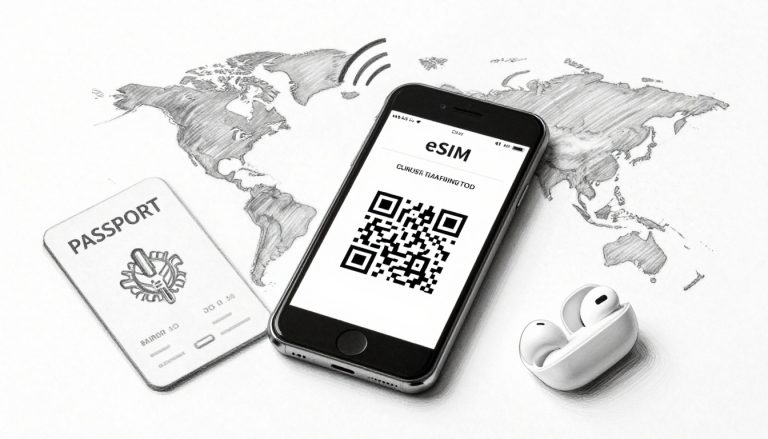
Can you use an eSIM on a locked iPhone? It’s a question many iPhone users ask, especially before traveling or switching to a new provider. The short answer is yes, but there are limits. A locked iPhone will accept an eSIM only from its own carrier. To use a travel or international provider, the phone must be unlocked.
eSIM adoption is growing fast. ABI Research estimates 403 million consumer devices will ship with eSIM in 2025, plus 140 million IoT devices. Nearly 2 billion eSIM-enabled devices are expected to be active by the end of 2025 per TechJury. With this speed, more iPhone owners will face the locked-phone vs international eSIM question.
In this guide, we’ll explain how eSIM works on locked iPhones, common scenarios, and what to do if you need to unlock your device for travel eSIMs abroad.
Quick Answer – eSIM on Locked vs Unlocked iPhone
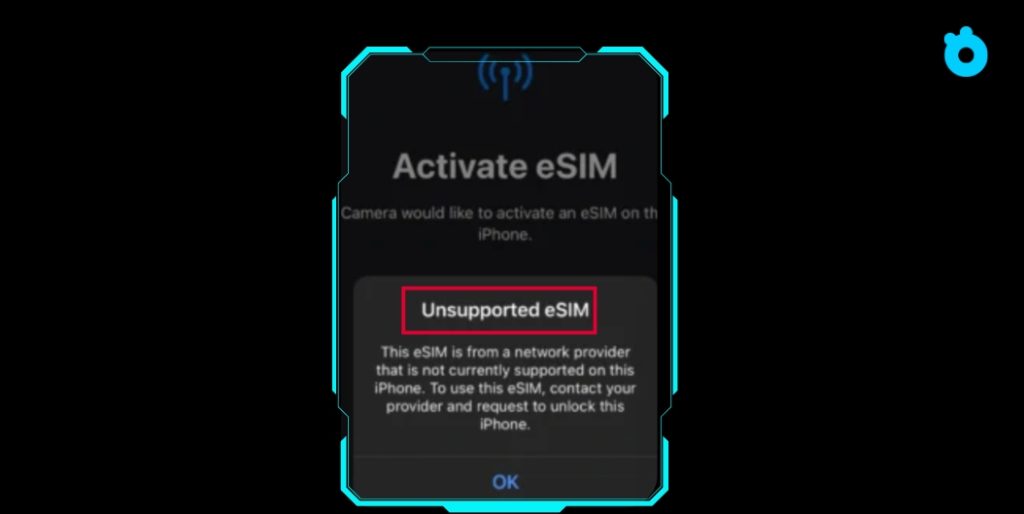
If your iPhone is locked to a carrier, you can still use an eSIM, but only under strict conditions. The eSIM must come from the same carrier that locked your device or from one of its MVNO partners. For example, a Verizon-locked iPhone will only accept Verizon eSIMs, not AT&T, T-Mobile, or international travel eSIMs.
If you want the flexibility to add a travel eSIM or switch to another carrier, your iPhone needs to be unlocked. This is why travelers and people buying secondhand iPhones should always check the lock status first.
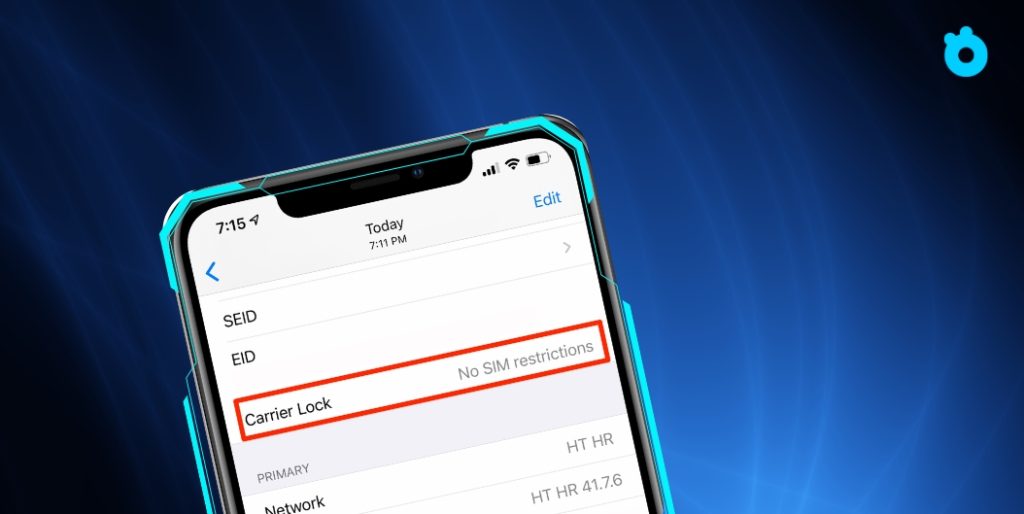
💡 How to check quickly: Go to Settings → General → About. Scroll down to “Carrier Lock.” If you see No SIM restrictions, your iPhone is unlocked and can use any eSIM provider.
📎 Reference: Apple official guide – How to unlock your iPhone
What Does Carrier Locked Really Mean?
Many iPhone users think “locked” only applies to physical SIM cards. In reality, the same rule applies to eSIM. A carrier-locked iPhone is tied to the provider that sold it, and the phone will only accept SIMs and eSIMs from that carrier.
Here’s why it matters:
- Carrier restrictions: If your phone is locked to AT&T, you cannot add a Verizon or T-Mobile eSIM.
- Dual SIM limits: Locked devices can use two lines at once, but both must come from the same carrier.
- Travel eSIMs blocked: If you try to install a Gohub, Airalo, or other international eSIM, the activation will fail until the phone is unlocked.
Apple makes it easy to check lock status. Go to Settings → General → About. Scroll down to “Carrier Lock.” If you see No SIM restrictions, your device is unlocked. If you see a carrier name, your phone is locked and will only work with that provider.
💡 Pro tip: Unlock policies vary by carrier. In the U.S., Verizon typically unlocks iPhones automatically after 60 days, while AT&T and T-Mobile may require you to request an unlock once your contract is clear.
Common Scenarios Explained
Understanding how eSIM works on a locked iPhone becomes easier when you look at everyday situations. Here are the most common cases.
Using an eSIM from the Same Carrier
If your iPhone is locked to Verizon, you can still add another Verizon eSIM. The same applies to AT&T, T-Mobile, or any other carrier. This is useful if you want a second line, such as a work number, without unlocking the phone.
Trying to Add a Travel eSIM on a Locked Phone
This is where most users run into trouble. A locked iPhone will reject eSIMs from providers that are not the original carrier. That means you cannot add a Gohub or Airalo travel eSIM while abroad unless your phone is unlocked.
U.S. iPhone 14 and Newer (eSIM-Only Models)
Apple removed the SIM tray starting with the iPhone 14 in the U.S. This means you must rely on eSIM for all connectivity. If the phone is carrier-locked, you can only use eSIMs from that carrier. International eSIMs will not work until the phone is unlocked.
60-Day Lock Period with U.S. Carriers
In the United States, major carriers have a lock policy.
- Verizon: Unlocks automatically after 60 days.
- AT&T: Unlock requires eligibility (device paid off, account in good standing).
- T-Mobile: Unlock usually available after 40–60 days if the phone is fully paid.
If you just bought a new iPhone on contract, you’ll need to wait until the lock period is over before adding an international eSIM.
💡 Pro tip: If you travel often, buying an unlocked iPhone upfront is usually worth the higher price. It gives you the freedom to switch eSIMs anywhere in the world.
Can MVNO or Partner Networks Work on a Locked iPhone?
Some users find a small loophole when it comes to locked phones. If your iPhone is locked to a major carrier, it may still accept eSIMs from that carrier’s MVNOs (mobile virtual network operators) or partner networks.
- Example in the U.S.:
- A T-Mobile–locked iPhone may accept an eSIM from Metro by T-Mobile.
- An AT&T–locked iPhone could accept an eSIM from Cricket Wireless.
- A T-Mobile–locked iPhone may accept an eSIM from Metro by T-Mobile.
- Why it works: MVNOs lease the network of the main carrier, so the lock restriction still considers them “the same provider.”
- Why it’s risky: Not all MVNOs are recognized the same way, and compatibility may vary. What works for one customer may fail for another.
💡 Pro tip: Always confirm with the MVNO before buying a plan. Ask directly if their eSIM will activate on a locked iPhone tied to the parent carrier.
How to Unlock Your iPhone for eSIM Use
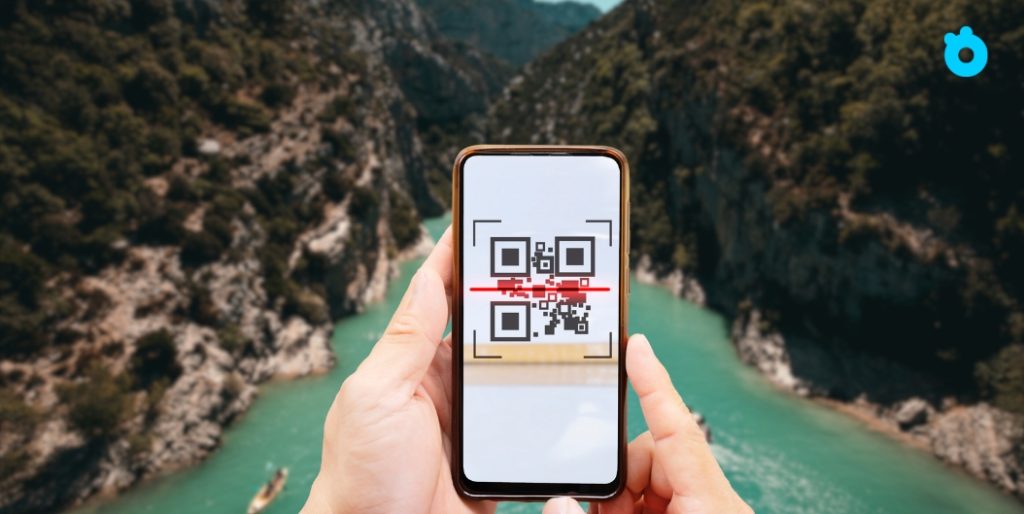
If you want the freedom to install a travel eSIM or switch to another carrier, unlocking your iPhone is essential. The good news is that the process is straightforward once you know the rules.
Step 1. Check if your iPhone is already unlocked
- Go to Settings → General → About.
- Scroll to Carrier Lock.
- If it says No SIM restrictions, your device is already unlocked.
- If it shows a carrier name, your iPhone is locked to that provider.
Step 2. Understand carrier lock policies
Each carrier sets its own rules before approving an unlock:
- Verizon: All iPhones are locked for the first 60 days. After this period, they unlock automatically.
- AT&T: The device must be fully paid off. You may need to request an unlock through AT&T’s online portal.
- T-Mobile: Most devices unlock after 40–60 days if they are fully paid. A manual request may still be required.
- Other carriers worldwide: Many require the account to be in good standing, all bills cleared, and a minimum usage period.
Step 3. Submit your unlock request
- Go to your carrier’s website or contact customer support.
- Provide your IMEI number (found under Settings → General → About).
- Some carriers unlock automatically once you meet requirements, others require manual approval.
Step 4. Wait for confirmation
- Carriers typically respond within a few business days.
- You will receive a message or email once the unlock is approved.
Step 5. Restart and test
- After unlocking, restart your iPhone.
- Insert a SIM or install an eSIM from another provider to confirm it works.
- Once successful, you’re free to add international eSIMs like Gohub for travel.
💡 Pro tip: If you bought your iPhone secondhand, always check its lock status before paying. Many travelers buy a used device only to discover it’s still locked and unusable with travel eSIMs abroad.
Troubleshooting – Why Your eSIM Won’t Install
Even if your iPhone supports eSIM, the setup can fail for several reasons. Here are the most common issues and how to fix them.
1. Carrier lock still active
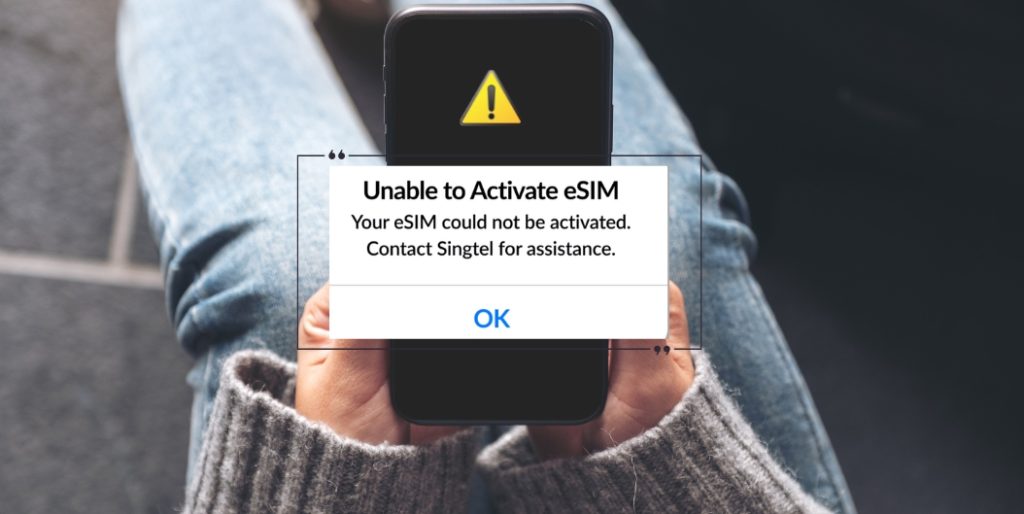
- If your phone is locked, it will block eSIMs from other providers.
- Fix: Go to Settings → General → About → Carrier Lock and confirm. If locked, contact your carrier to request an unlock.
2. Outdated iOS or carrier settings
- Old software often causes activation problems.
- Fix: Update your iPhone to the latest iOS under Settings → General → Software Update. Then check for carrier updates in Settings → General → About.
3. Weak Wi-Fi connection
- eSIM activation requires strong internet. Poor Wi-Fi can leave your eSIM stuck on “Activating.”
- Fix: Move to a stronger network or temporarily use mobile data from another SIM.
4. Incorrect QR code or manual entry
- Damaged QR codes or typos in manual codes often cause installation errors.
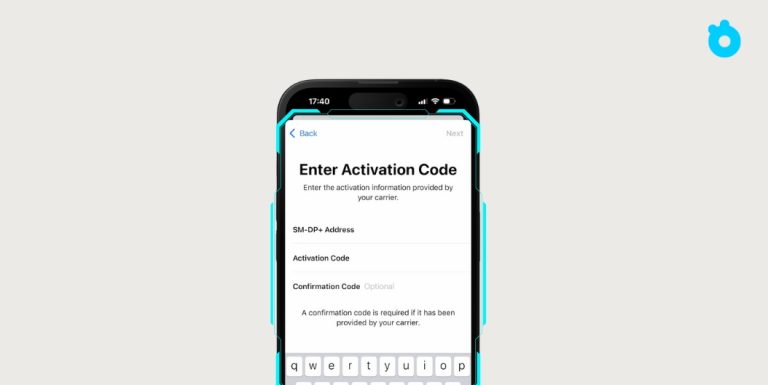
- Fix: Scan in good light or carefully re-enter the details. Request a new QR code from your provider if needed.
5. Dual SIM conflict
- If you already have two active lines, adding another can fail.
- Fix: Turn off one existing line under Settings → Cellular before trying again.
6. APN settings not applied
- Sometimes the eSIM installs but mobile data won’t connect.
- Fix: Enter the APN manually under Settings → Cellular → Cellular Data Network using details from your provider.
7. Provider-side issues
- Occasionally the problem isn’t your phone but the eSIM profile itself.
- Fix: Contact your eSIM provider and ask if the QR code has expired or if the profile needs to be reissued.
💡 Pro tip: Always activate your eSIM while you still have reliable Wi-Fi. Doing this at home avoids the frustration of being stuck at the airport without service.
Frequently Asked Questions
1. Can you use an eSIM on a locked iPhone?
Yes, but only with the same carrier that locked your phone. For example, a Verizon-locked iPhone can only accept Verizon eSIMs. To use a travel eSIM, the device must be unlocked.
2. Can I add a travel eSIM to a locked iPhone?
No. Travel eSIMs from providers like Gohub or Airalo require an unlocked iPhone. Locked devices block profiles from outside carriers.
3. How do I check if my iPhone is locked?
Go to Settings → General → About. Scroll down to Carrier Lock. If it shows No SIM restrictions, your phone is unlocked.
4. Do MVNO eSIMs work on locked iPhones?
Sometimes. MVNOs that run on the same network as your carrier may work, but it’s not guaranteed. Always confirm with the MVNO before buying.
5. How long before U.S. carriers unlock iPhones?
- Verizon: Unlocks automatically after 60 days.
- AT&T: Device must be fully paid off and request submitted.
- T-Mobile: Usually 40–60 days, plus full payment required.
6. Can I use two eSIMs from different carriers on a locked iPhone?
No. Locked iPhones only allow eSIMs from the same carrier. To mix providers, you need an unlocked device.
7. Why does my eSIM installation keep failing?
Common causes include weak Wi-Fi, outdated iOS, or trying to add an eSIM from another carrier while the phone is locked.
💡 Pro tip: For reliable travel connectivity, unlock your iPhone and choose a trusted provider like Gohub international eSIM. It offers instant setup, wide coverage, and 24/7 support.
Final Tips and Why Unlocking Matters
Using an eSIM on a locked iPhone is possible, but the experience is limited. You can only add eSIMs from the same carrier that locked your device. That means no freedom to switch providers, and no way to use a travel eSIM abroad. If you want flexibility, unlocking your iPhone is the only real solution.
As eSIM adoption keeps growing, the need for an unlocked device becomes more urgent. By the end of 2025, nearly 2 billion eSIM-enabled devices will be active worldwide. Travelers who stay locked in with one carrier will miss out on cheaper plans, wider coverage, and hassle-free international roaming.
💡 Pro tip: Always check your lock status before you buy or travel. An unlocked iPhone gives you the freedom to install local or international eSIMs within minutes.
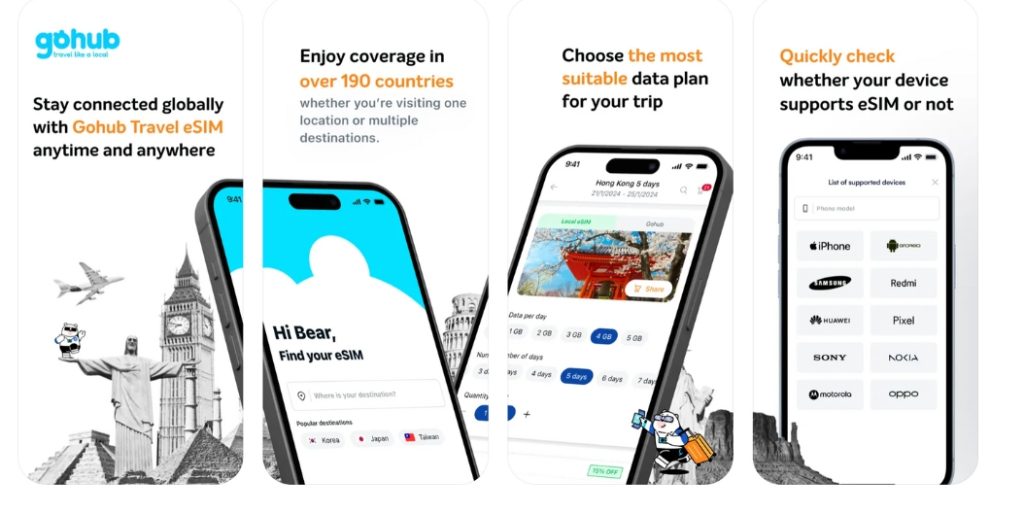
Stay Connected with Gohub International eSIM
If you’re planning your next trip, make it easy on yourself. Gohub international eSIM offers:
- Instant activation in over 100 countries
- Flexible data plans for short or long trips
- 24/7 multilingual customer support
- A 100% refund guarantee if activation fails
With Gohub, you don’t need to waste time hunting for SIM cards at airports or worrying about hidden roaming fees. You just scan, activate, and travel connected.
👉 Ready to unlock stress-free travel? Explore the latest Gohub eSIM plans today.
Here’s a suggested Related Articles section you can insert into your “Can you use an eSIM on a locked iPhone?” post. It links to other relevant articles to improve internal linking & help readers find more info.
Related Articles
- How to Transfer eSIM to New iPhone – A detailed guide that covers moving your eSIM from an old iPhone to a new one, using methods like Quick Transfer, carrier apps, and manual setup.
- How to Delete eSIM from iPhone – Step-by-step instructions for safely removing an eSIM plan across iOS versions.
- Free eSIM Service for iPhone – Reviews and comparisons of free trial eSIM providers; helpful if you want to test connectivity or travel cheaply.
- How Many eSIMs Can iPhone 14–17 Have? – Breakdown of how many eSIM profiles newer iPhones can store, how many can be active simultaneously, and differences between US/international models.
- Activating eSIM on iPhone – Guide on how to set up a new eSIM, including activation steps, common pitfalls, and traveler tips.