You don’t need a shiny new device to enjoy the magic of modern data tech. If you’re holding onto your trusty iPhone XR, I have some great news; it absolutely supports eSIM. This means you can ditch the paperclips and tiny plastic cards for something much more efficient.
Being a dual SIM device, your phone lets you keep your main number active while adding a digital plan for your weekend hikes or international flights. It’s the perfect setup for campers who need backup coverage and travelers who want to avoid those scary roaming fees. You can even get your free esim now to see how it works.
Since the XR was one of the first models to join the esim iphone family, it’s a solid choice for staying connected without the clutter. Just check the iPhone eSIM compatibility list to see how your device stacks up against newer models. Let’s look at how you can get this digital chip up and running.
The Technical Specs: How Dual SIM Works on iPhone XR
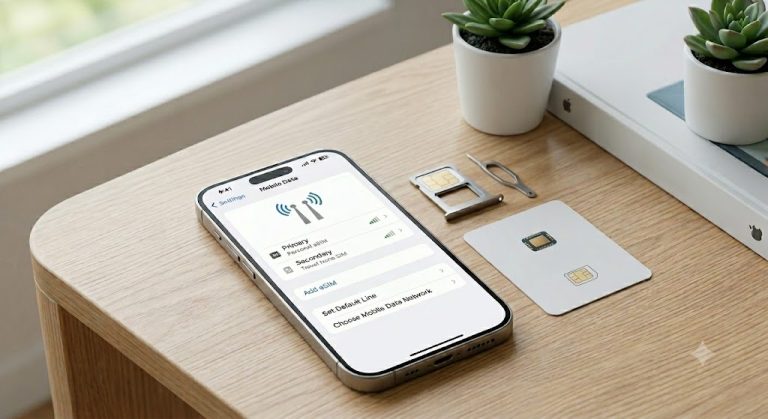
The iPhone XR is a bit of a pioneer in the mobile world. It arrived in 2018, bringing a clever hardware duo to the table; a physical nano-SIM slot and a built-in digital chip. This combination allows for a feature called Dual SIM Dual Standby (DSDS). In plain English, your phone can juggle two separate phone lines simultaneously without needing a second physical device.
One line lives on that familiar plastic card you slide into the side of the frame. The second line lives on the internal chip, which is exactly why the XR belongs to the esim iphone family. Both numbers stay active for incoming calls and texts, so you won’t miss a message from home while using a local data plan in a new country. You can even get your free esim now to test this dual setup before your next trip.

One Path for Data: Understanding the Single Data Path
While your iPhone XR is great at multitasking with two phone numbers, it has a strict rule about the internet. It only uses one path for data at a time. This means you must designate one line as your primary source for web browsing, social media, and apps. The phone doesn’t merge both plans to create a super-connection; it sticks to the one you choose in your cellular settings.
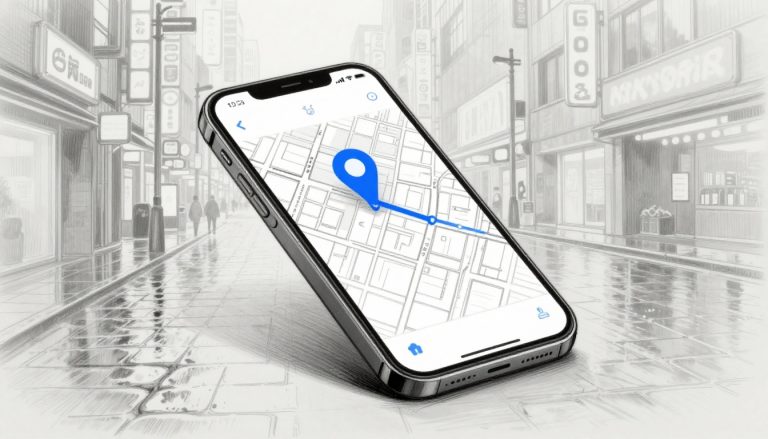
This technical detail is particularly important if you use your phone for navigation during outdoor adventures. If you’re deep in the woods using GPS on your eSIM data, and a call comes in on your physical SIM line, the data connection might pause. Since the XR has one cellular radio, it focuses on the active voice call. You can check the official Apple Support guide for Dual SIM to see how these lines interact during calls.
To avoid getting lost when the phone rings, you should enable a feature called “Allow Cellular Data Switching.” When this is on, the XR will briefly switch the internet path to your other line if you’re taking a call on it. This ensures your maps keep loading and your messages keep sending while you talk. If you need help with the initial setup, follow this guide to activating eSIM on iPhone XR to ensure everything is configured correctly for your data needs.
Critical Regional Exceptions: Check Your Model Before Camping
Not every iPhone XR is a digital nomad’s dream. While most of these devices are ready for a virtual adventure, some were built specifically for regions where physical cards still reign supreme. If you’re hunting for a used phone or planning to buy one while traveling, you need to know about the regional hardware split that could leave you stuck with a plastic-only setup.
The Great Physical Sibling: China, Hong Kong, and Macau Models
Apple tailored the XR to meet local demands in Mainland China, Hong Kong, and Macau. In these regions, a digital chip wasn’t the vibe back in 2018. Instead of the hybrid setup we know and love, these specific phones feature a unique SIM tray that holds two physical nano-SIM cards back-to-back.
Because these models lack the actual hardware for digital plans, you can’t simply download a new line. They are strictly dual physical SIM devices. For a traveler, this means you’d have to physically visit a store and swap tiny plastic pieces every time you cross a border. If your goal is to stay connected through a digital provider, these regional variants will be a total buzzkill.

How to Spot a Non-eSIM Model
Before you get excited about a bargain at a local market, you should verify the hardware identity. You can find this info by popping over to Settings, tapping General, and then selecting About. Look specifically for the model number; it’s the ultimate truth-teller for your device’s capabilities.
The table below breaks down which versions of the XR support the digital chip and which ones are stuck in the physical world.
| Region | Model Number | eSIM Support | SIM Tray Type |
|---|---|---|---|
| Global / US | A1984, A2105 | Yes | 1 Nano + 1 Digital |
| Japan | A2106 | Yes | 1 Nano + 1 Digital |
| China / HK / Macau | A2108 | No | 2 Physical Nano |
If you see A2108 on the screen, that phone is a “physical only” zone. You can’t fix this with a software update because the chip simply isn’t inside the frame. For a smoother experience, always aim for those global or US versions. If you have the right model, you can get your free esim now to start testing your connection immediately.
Identifying these quirks is vital if you’re looking for help with a T-Mobile eSIM setup guide for iPhone because these guides only work on devices with the proper internal chip. Always double-check your serials before you head out into the wild. After all, nobody wants to find out their phone is incompatible while standing in the middle of a remote campsite. If the hardware isn’t there, even the Apple Support guide for Dual SIM won’t be able to conjure up a digital connection for you.
How to Verify Your iPhone XR Compatibility in 10 Seconds
You don’t need to be a tech wizard or a professional hacker to figure out if your phone is ready for a digital upgrade. Checking for compatibility is faster than brewing a cup of instant coffee; it literally takes about ten seconds of tapping and scrolling. If you are planning a trip or just want a secondary line for work, knowing your hardware status is the very first step.
Most users assume their phone is ready to go, but a quick peek inside your settings menu can save you a massive headache at the airport. You are looking for two specific things: a digital signature that proves the chip exists and a green light from your carrier. Once you confirm these details, you can get your free esim now and start enjoying that dual SIM life.

Hunting for the EID and IMEI2
To see if your iPhone XR hardware actually includes the digital chip, you need to find its unique identification numbers. This is like checking the VIN on a car; it tells you exactly what was built into the frame at the factory.
- Tap on your Settings app and head into the General menu.
- Select About at the very top of the list to see your device identity.
- Scroll down until you see a section labeled Available SIM or Digital SIM.
- Look for a 32-digit number called the EID; if it’s there, your phone has the chip.
- Record the IMEI2 number if you see it, as this is the specific “address” for your digital line.
If you see these numbers, your device is part of the compatible esim iphone group. If these sections are completely missing from your screen, you likely have one of those regional models mentioned earlier that only likes physical plastic cards.
Confirming Your Carrier Lock Status
Having the hardware is only half the battle; your phone also needs to be on “friendly terms” with other networks. If your phone is tied to a specific contract, it might refuse to talk to any other provider until you pay it off. Even if you have the digital chip, a locked phone acts like a gate with no key.
Follow these quick steps to see if your phone is a free agent:
- Go back to Settings then General and tap About.
- Find the row labeled Carrier Lock.
- If it says No SIM restrictions, you are free to use any data plan on the planet.
- If it shows a specific company name or says SIM locked, you need to call that carrier to request an unlock.
It is vital to check if your iPhone is carrier locked before you buy a travel plan. If the status isn’t clear, you can also check out the Apple guide for unlocking your iPhone to see if you meet their requirements. Working from a remote cabin or a busy city cafe is much easier when you know your data is actually going to connect.
Why Travelers Keep Using the iPhone XR for Camping Trips
Newer phones are flashy, but the iPhone XR is a rugged champion for the great outdoors. Travelers love it because it’s built like a tank compared to the delicate glass and titanium of modern flagship models. When you’re out in the woods, you want a device that can handle a bit of dirt and a few bumps without a high repair bill.
The XR also stays relevant because it cuts down on those ridiculous roaming fees. By keeping your physical SIM for home and using the digital chip for local data bundles, you stay connected for a fraction of the cost. It’s an affordable way to have a dedicated travel phone that won’t break your heart if it falls into a creek. If you want to see how easy it is, you can get your free esim now and start planning your next hike.
How Many Digital Profiles Can an iPhone XR Store?
Your iPhone XR acts like a digital library for cellular plans. While it was one of the first to get this tech, it can actually hold several different profiles in its internal memory. This is perfect for the regular traveler who jumps between three or four different countries every year.
Even though you can store multiple plans, the XR has a strict “one at a time” rule for the digital chip. You can save your profiles for the UK, Mexico, and Canada, but you can only toggle one of them to “on” while your physical SIM handles your main number. It’s a bit like having ten books on a shelf but only being able to read one at a moment.
Newer devices have more wiggle room when it comes to managing multiple eSIMs on iPhone because they can run two digital lines at once. On the XR, you’re limited to one physical line and one digital line working together. If you’re a heavy remote worker who needs three active lines, this might feel a bit tight. However, for most campers, having a primary line and one backup data plan is more than enough. According to Apple Community discussions, users have found that while storage is generous, the hardware limits the active connection to simplify signal management.
Conclusion
The iPhone XR remains a robust contender for global connectivity because it balances physical reliability with modern digital flexibility. It is a workhorse that refuses to quit, giving you the freedom to roam through dense forests or crowded city streets without losing your signal. After all, having a phone that handles both a physical card and a digital profile is the ultimate insurance policy for any traveler or remote worker.
You can skip the stress of expensive roaming fees and limited data by using your device’s hidden potential. If you are ready to put this hardware to work, you should visit esimiphone.co to find the best data solutions for your next trip. Your trusty phone has plenty of life left in it, so take it on a new adventure and stay connected wherever you land.
Whether you are camping under the stars or working from a seaside cafe, your tech is ready for the challenge. Get out there and explore the world with your dual SIM setup leading the way. Happy travels, and may your bars always be full.
This post may contain affiliate links. If you make a purchase through these links, I may earn a small commission at no extra cost to you.