Imagine you’re standing in a bustling airport or preparing for a remote mountain trek, wishing you could instantly hop onto a local network without fumbling for a tiny paperclip. You’ll be happy to know that the iPhone 13 supports eSIM, and it actually leveled up the game. The entire lineup, including the iPhone 13 Mini, Pro, and Pro Max, allows you to ditch the plastic entirely.
While older models required one physical card to go digital, your device is part of the first generation to allow two active eSIMs at once. This means you can keep your home number and a travel plan running simultaneously without ever touching a SIM tray.
Check the iPhone 13 eSIM compatibility guide to see how your specific model handles these digital networks. You can even get your free esim now to start testing the freedom of a card-free life. Whether you’re a digital nomad or just someone who hates losing small pieces of plastic, here is how to make the most of your phone’s digital capabilities.
The Technical Specs: Apple’s First Dual eSIM Powerhouse
Apple really pulled a rabbit out of its hat with the 13th generation. While previous models flirted with digital connectivity, this lineup is the first to embrace a truly card-free existence. Inside that sleek chassis lives a motherboard with a built-in chip that acts like a digital container for your phone plans. It’s a massive shift in how we handle our mobile lives because it removes the reliance on that tiny, easily lost piece of plastic.
Because the hardware is so flexible, you can store eight or even more profiles in the memory of your device. Think of it like a digital wallet where you keep various memberships. You can’t use all of them at once, but they’re always there, ready to be switched on with a few taps in your settings. This makes it incredibly easy for travelers to get your free esim now and keep it tucked away until they land in a new country.

Dual eSIM Standby Explained
The magic trick of the iPhone 13 is something called Dual eSIM Standby. In older models, you were forced to use one physical card if you wanted two lines active. Now, you can run two digital lines at the same time while the physical tray sits completely empty. Both numbers stay “awake” and ready to receive calls or texts without you needing to flip a manual switch.
Your phone manages this through a clever bit of engineering in the baseband processor. This modem talks to cell towers for both networks nearly simultaneously by toggling back and forth in milliseconds. It’s so fast that you’ll never notice the handoff. If you want to see how this compares to newer releases, you can check out the iPhone 16 dual eSIM capabilities to see how the tech has evolved.
- Both lines can receive voice and FaceTime calls.
- You can send and receive messages using iMessage, SMS, and MMS on either number.
- You choose which “bucket” of data the phone uses for browsing the web.
- Your iPhone is smart enough to swap data to a specific line if you’re actively on a call.
Ditching the Physical Plastic
For the first time, you have the choice to ignore the SIM tray entirely. This is a dream for anyone who has ever dropped that tiny metal tool into a dark carpet. Since both lines are digital, you’re not tethered to a physical slot that can get clogged with dust or fail over time. You simply download your plan via a QR code or a carrier app.
| Feature | Single SIM Limit | Dual eSIM Support |
|---|---|---|
| Active Digital Lines | 1 | 2 |
| Physical Card Required | Yes (for 2nd line) | No |
| Stored Profiles | 1 or 2 | 8 or more |
| Physical Tray Use | Mandatory for 2 lines | Optional |
This setup is perfect for keeping your work and personal life separate on a single device. You can have your main carrier on one eSIM and a dedicated travel or business line on the second one. If you’re wondering about the specific limit of active eSIMs on modern iPhones, the 13th generation set the standard that we still see in the newest models today. You can find more details on using Dual SIM with an eSIM directly from official resources to ensure your carrier supports this specific configuration.
Crucial Regional Exceptions to Check Before Traveling
While your iPhone 13 is likely a digital powerhouse, geography plays a funny role in hardware design. Apple builds different versions of the same phone to satisfy local laws or carrier preferences. This means the features you enjoy in Chicago might not exist on a device purchased in Shanghai or Hong Kong.
Because these hardware differences are permanent, you can’t just fix them with a software update later. It’s like buying a car with a manual transmission; no amount of wishing will make it an automatic. If you’re planning to buy a phone abroad or use a local device for travel, these exceptions are your new best friends.

The China Exception
The biggest curveball in the iPhone world is the version sold in mainland China, Hong Kong, and Macao. In these regions, the internal eSIM chip is completely absent. To solve the dual-line problem, Apple designed a special dual nano-SIM tray that holds two physical cards back to back.
One card sits in the top slot, and the other snaps into the bottom. It’s a clever mechanical solution for a place where digital SIMs aren’t widely supported yet. However, this means if you buy your device in Beijing, you can’t use digital travel plans from the app store. You’re strictly a plastic-only traveler.
- This model lacks the internal chip required for digital downloads.
- You must shuffle physical cards every time you cross a border.
- Most travel apps for data won’t work on these specific devices.
- You’ll need to find a local shop to buy a recurring physical plan.
Check Your Model Number
Before you jet off to a new timezone, you should verify exactly what hardware you’re holding. You can find this in your settings under General and then About. Tapping the model number will toggle it to a code starting with the letter A.
Cross-referencing this code on the official Apple Support page ensures you won’t get a “No SIM” error when you land. It’s a simple step that prevents the headache of being stranded without a map in a foreign airport. You can also view our step-by-step iPhone eSIM activation guide to see how different models behave during the initial setup.
| Region | Physical SIM Slots | eSIM Support | Dual Active Mode |
|---|---|---|---|
| United States | 1 Slot | Yes | Dual eSIM or 1 Nano + 1 eSIM |
| Europe/UK | 1 Slot | Yes | Dual eSIM or 1 Nano + 1 eSIM |
| Mainland China | 2 Slots | No | 2 Physical Nano-SIMs Only |
| Hong Kong | 2 Slots | No | 2 Physical Nano-SIMs Only |
Knowing your hardware limits helps you plan your data strategy early. You might realize you need to get your free esim now to test compatibility or simply stick to physical cards if your phone was a Hong Kong import. Always verify the specs before you commit to a long-term data plan.
Why Hikers and Campers Prefer a Dual Digital Setup
Taking your iPhone 13 into the wild is a bold move, but it’s much safer when you have a back pocket full of digital signals. Modern adventurers are ditching the traditional “one carrier” mindset because the wilderness doesn’t care about your service provider’s coverage map. By taking advantage of your phone’s digital capabilities, you essentially carry a backup rescue team in your pocket.
Network redundancy is the heartbeat of a safe mountain trek. If you climb up a ridge and find your primary carrier is missing in action, you don’t have to panic. Because the iPhone 13 allows two active lines, you can instantly lean on a secondary provider to find your coordinates or send a “still alive” text. Using a Gohub travel eSIM turns your device into a more reliable tool for getting cell service in remote areas where a single network would simply fail.

Standard trail life involves wind, dirt, and the occasional rain shower. The last thing you want to do in those conditions is hunt for a tiny metal paperclip to pop your SIM tray. Losing that little plastic card in the tall grass is basically a rite of passage for old-school travelers, but you can skip the heartbreak entirely. Digital plans stay safe inside the hardware, meaning your internal specs stay sealed against the elements while you’re busy navigating.
Step-by-Step: Activating Your Travel Connection in 60 Seconds
Setting up a secondary line is faster than boiling water for your camp coffee. You can get this done while sitting in the airport or even at a trailhead before you lose the “civilization” signal. Follow these four simple steps to get your backup line roaring to life.
- Open your settings and tap on Cellular, then select Add eSIM to begin the process.
- Scan the QR code sent by your provider to download the digital profile directly to your device.
- Choose a name for your lines to keep things organized, such as “Primary” for home and “Travel Data” for the trail.
- Set your Cellular Data to the new travel plan and lock it in to prevent expensive roaming fees from your home carrier.
You can actually get your free esim now to see how the interface looks before you head out on your next big adventure. If you’re feeling nervous about the setup, the step-by-step Airalo iPhone setup offers a great visual walkthrough of how these digital profiles behave. Having that second line locked in provides a massive peace of mind when the bars on your main provider start to disappear.
This setup isn’t just about safety; it’s about being a savvy spender. Global travelers often pay a premium for “international passes” that provide spotty service at best. By using a dedicated digital plan for internet access, you keep your main number active for emergency calls while using cheaper, local data for your GPS and maps. It’s a clever way to stay connected without getting a surprise bill that costs more than your hiking boots.
Profile Storage Limits on the iPhone 13 Series
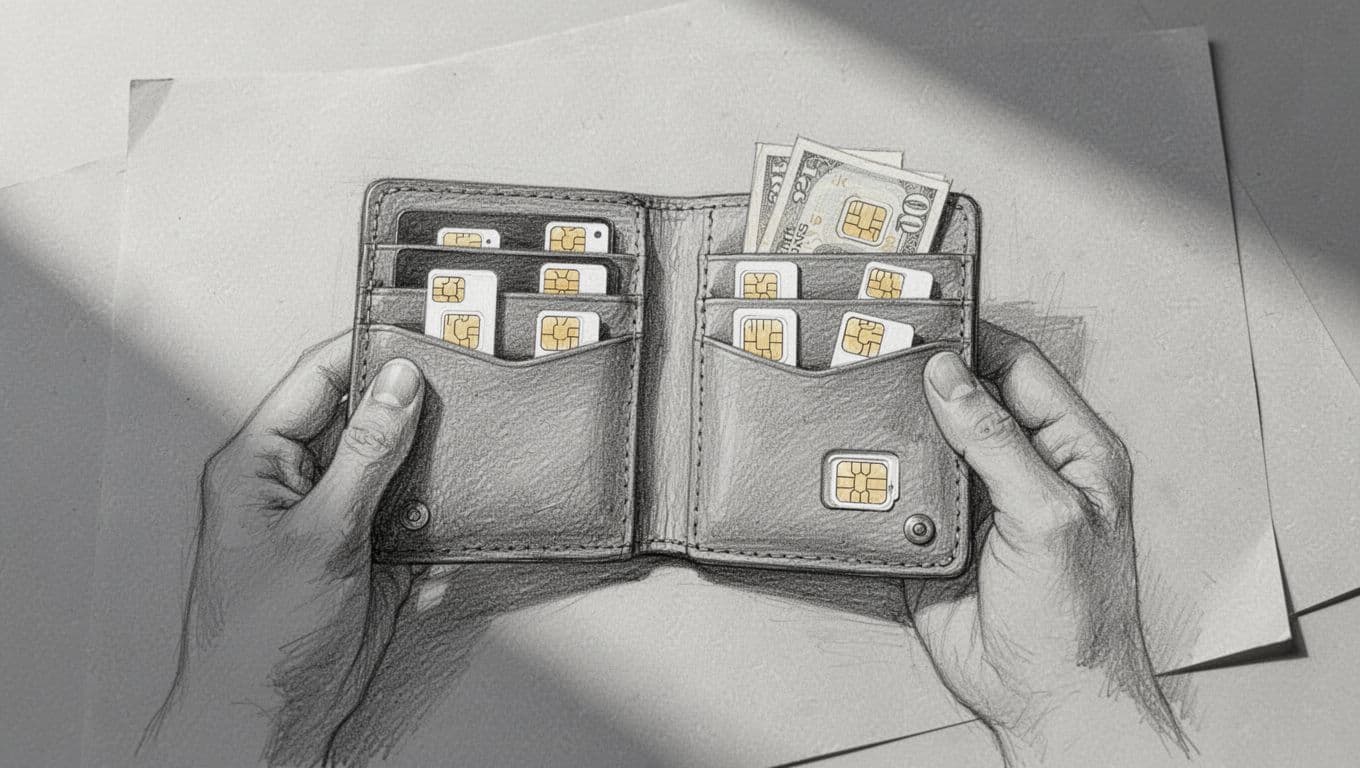
Your iPhone 13 is basically a digital library for cellular plans. Since the hardware has its own built-in memory for networking, you aren’t stuck with just one or two choices. You can collect digital profiles like people used to collect stamps or coins. This memory chip acts as a vault where you store all your different carrier credentials until you’re ready to use them.
Think of it as a revolving door for your data. You can have a whole list of profiles sitting in your settings; they just won’t all be talking to a cell tower at the same time. This is a massive win for anyone who bounces between countries or needs separate lines for side hustles and personal life. Because you can get your free esim now and keep it tucked away, you’re always prepared for your next trip.
The Eight Profile Rule
The iPhone 13 can comfortably store eight or more digital profiles in its internal memory. While Apple states you can have “eight or more,” most users find that eight is the sweet spot where everything runs smoothly. You could have your primary plan, a special data-only plan for the tablet you sometimes tether, and six separate plans for different countries you visit every year.
Even though your phone holds a small crowd of plans, the Apple Dual SIM support limits you to having only two of them actually “active” and searching for signal at once. If you try to turn on a third one, your iPhone will politely ask which of the current two you’d like to put to sleep. It’s a simple one-in, one-out system that keeps your battery from draining while trying to juggle too many towers.
- You can keep your home plan active at all times to receive important texts.
- Your second active slot can be swapped between any of your other seven stored profiles.
- Switching takes about thirty seconds and happens entirely in the settings menu.
- Active lines are clearly labeled so you don’t accidentally use the wrong bucket of data.
Toggling for the Frequent Traveler
If you’re a digital nomad or a backpacker moving through Europe, this storage space is your best friend. You don’t have to delete your French data plan just because you’re taking a weekend trip to Italy. You simply “turn off” the French line in your settings and “turn on” your Italian one. The French profile stays parked in your memory, ready to wake up the moment you cross back over the border.
Managing this digital collection is actually quite fun because it removes the stress of losing physical cards. According to Gohub’s insights on how many eSIMs a device can hold, having these profiles ready to go means you never have to hunt for a Wi-Fi hotspot just to download a new plan. You’ve already got the digital keys to the kingdom; you just need to turn them in the lock.
| Action | Status of Plan | Connection to Tower |
|---|---|---|
| Stored | Hidden in settings | No signal, no battery drain |
| On Standby | Active in Cellular menu | Receives calls and texts |
| Primary Data | Active in Cellular menu | Used for all internet browsing |
This flexibility means you can prepare for a multi-leg journey before you even leave your couch. Load up your phone with the profiles you’ll need for each stop, and you can enjoy the peace of mind that comes with knowing you’re always one toggle away from a solid connection. It’s the ultimate tool for staying connected without the clutter of plastic.
Gear Up with Complete Wireless Confidence
Your iPhone 13 is much more than a glass rectangle for scrolling through memes; it’s a sophisticated communication hub built for the modern explorer. Embracing the digital SIM lifestyle means you can walk into any situation with your chin up and your connection locked in. Whether you’re navigating a chaotic bazaar or a quiet forest, your device provides the safety net you need to stay productive and secure.
By moving away from physical cards, you eliminate the fragile points of failure that usually plague travelers. There’s no tray to bend, no tiny gold contacts to scratch, and certainly no reason to carry a paperclip in your wallet. It’s a cleaner, faster way to manage your mobile life that matches the sleek design of the phone itself.

Maximum Security for the Modern Nomad
Security is where the eSIM iPhone 13 really flexes its muscles. If somebody swipes your phone, they can’t simply pull out your SIM card to stop you from tracking it. Because the digital profile is embedded in the hardware, your phone stays connected to the network longer, giving “Find My” a much better chance of doing its job. This digital lock-down is a massive deterrent against the kind of identity theft that starts with a stolen physical card.
Beyond physical theft, you also gain a shield against SIM swapping attacks. Hackers often try to trick carriers into moving your number to a new card, but digital profiles with proper secondary authentication make this much harder. You can rest easy knowing your bank’s two-factor codes are coming to a device that is hardware-linked to your identity.
- Enable a SIM PIN in your settings to add an extra layer of protection.
- Keep your software updated to patch any vulnerabilities in the baseband processor.
- Use a reputable VPN when connecting to airport or cafe Wi-Fi networks.
- Set up your Medical ID so emergency responders can help you without needing a passcode.
Budget-Friendly Browsing Without the Bill Shock
We’ve all heard the horror stories of someone returning from vacation to a $500 roaming bill. Your iPhone 13 makes those stories a thing of the past. Since you can run two lines at once, you can keep your home number active for important texts while routing all your heavy data usage through a local, low-cost digital plan. This “split-brain” approach is the smartest way to keep your wallet fat and your signal strong.
Many travelers are discovering the pros and cons of eSIM cards for travel and realizing that the savings are undeniable. Instead of paying daily “international pass” fees, you pay for exactly the data you need. It’s the ultimate tool for staying on budget while keeping your maps, emails, and translation apps running at full speed.
If you’re heading toward the Pacific, checking out the best travel eSIM for Asia can save you a small fortune compared to standard carrier rates. You get local speeds without the local headache. It’s all about maximizing your device’s potential so you can focus on the scenery instead of the data roaming warnings. Before you head out on your next wilderness getaway or international flight, get your free esim now and verify your network solutions at esimiphone.co to ensure you’re geared up with total confidence.
Conclusion
The iPhone 13 is a sturdy bridge between the old world of plastic shards and a future where your phone plan lives entirely in the cloud. It offers the flexibility of running two digital lines simultaneously; something earlier models simply could not do. You have the power to travel the globe or manage a busy side hustle without ever popping a SIM tray.
Physical cards are quickly becoming relics of the past. Your device is ready to skip the tiny paperclips and lost plastic altogether. If you are a customer of a major carrier, you might even want to check out the T-Mobile iPhone eSIM activation guide to see how easily you can digitize your current plan.
You now have the technical knowledge to navigate regional hardware quirks and manage your digital profile library with total confidence. The world is much smaller when you can switch networks with a tap on your screen. So, grab your gear and go explore; your iPhone 13 is ready whenever you are.
Are you ready to ditch the plastic for good? Get your free esim now and start your next adventure today.
This post may contain affiliate links. If you make a purchase through these links, I may earn a small commission at no extra cost to you.